Set up AI review replies
Also included in Plus and Rainmaker.
RiverX can reply to your Google and Facebook reviews for you. You create a reviews AI agent, pick its tone, tell it which reviews to answer, and choose whether replies post on their own or wait for your approval. It can also work through your older unanswered reviews a few each day.
Why reply to every review
People read your replies as much as your reviews. A thoughtful reply to a happy customer shows you care, and a calm reply to an unhappy one shows the next customer how you handle problems. Replying to every review by hand is the part most owners never get to.
Create your agent
- 1
Open Reviews AI
Open Reputation, then Settings, then Reviews AI.
- 2
Create an agent
Click Create Agent. Or click Create Starter Agents to start with a ready made set.
- 3
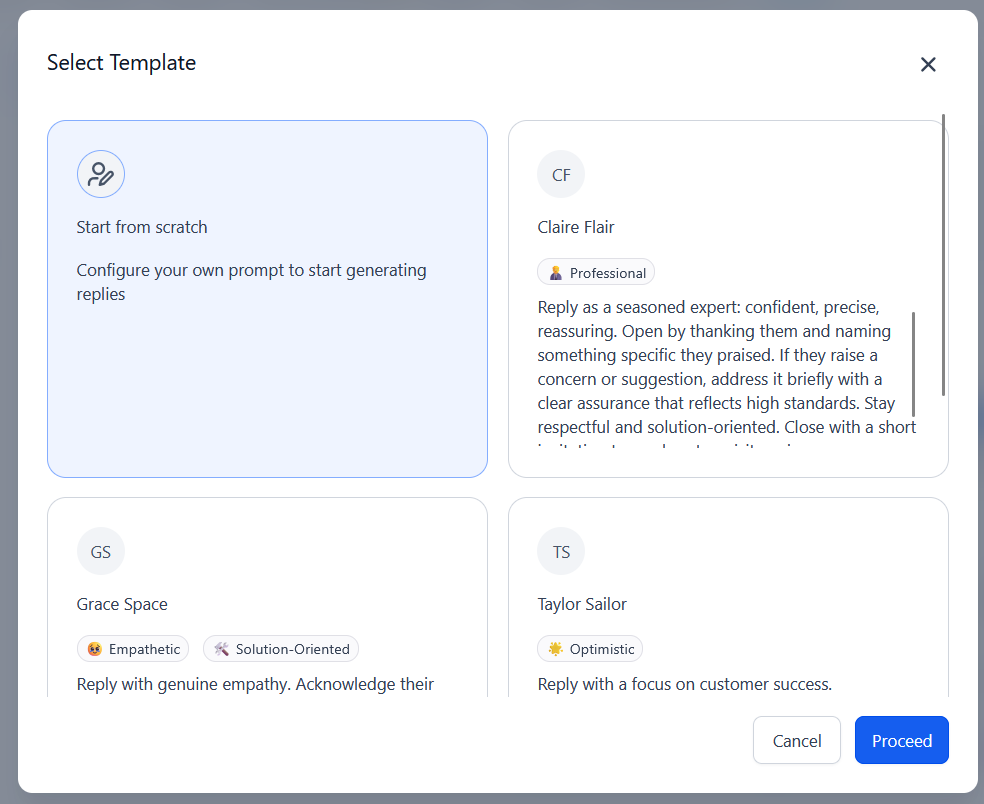
Pick a starting point
Pick a starting point: start from scratch, or pick a tone template such as Professional, Empathetic, or Optimistic. You can change everything after.
Start from scratch or pick a tone - 4
General settings
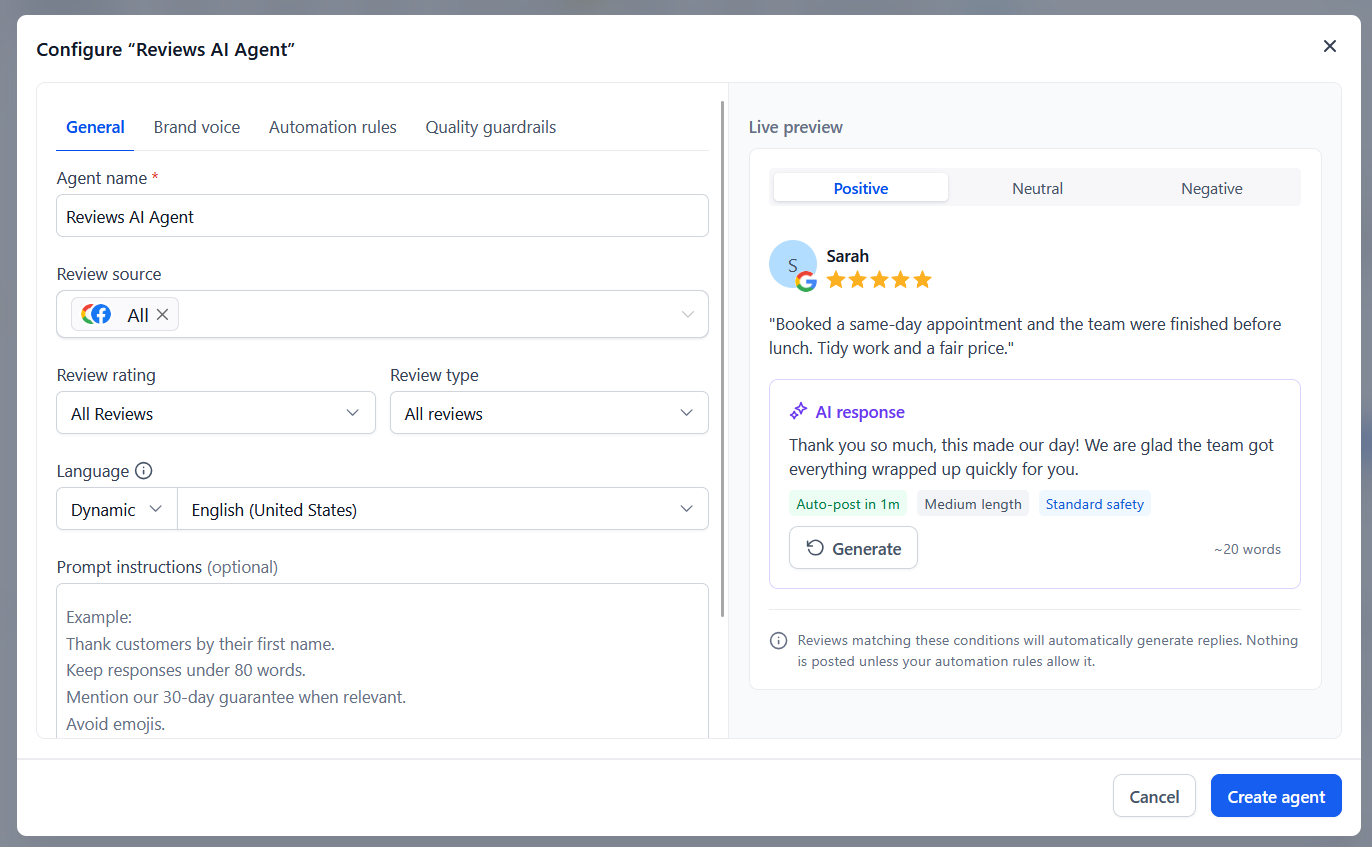
On the General tab, name the agent and choose which reviews it answers: the review source (Google, Facebook, or both), the star ratings, and the review type.
- 5
Set language
Set the language. Dynamic replies in the same language as the review.
- 6
Add prompt instructions
Add prompt instructions in your own words. See the Copy this box below.
- 7
Preview replies
Use the Live preview to see how it would reply to a positive, neutral, and negative review. Click Generate to try again.
- 8
Review tabs and save
Check the Brand voice, Automation rules, and Quality guardrails tabs, then click Create agent.
Set what the agent answers, then preview its replies before you turn it on
Thank customers by their first name.
Mention the service or city when the review does.
Keep replies under 80 words.
No emojis.
Never offer discounts or ask anyone to change their review.
For complaints, apologize once, don't argue, and invite them to call us at {your business number}.Post automatically or approve first
Set this on the Automation rules tab.
Automatic: the reply posts on its own after a short delay.
Approve first: the AI writes the reply and waits for you to approve or edit it.
A good setup: two agents. One answers 4 and 5 star reviews automatically. The other drafts replies to 1 to 3 star reviews for you to approve, so you read every complaint before anything goes public.
Catch up on older reviews with Drip Mode
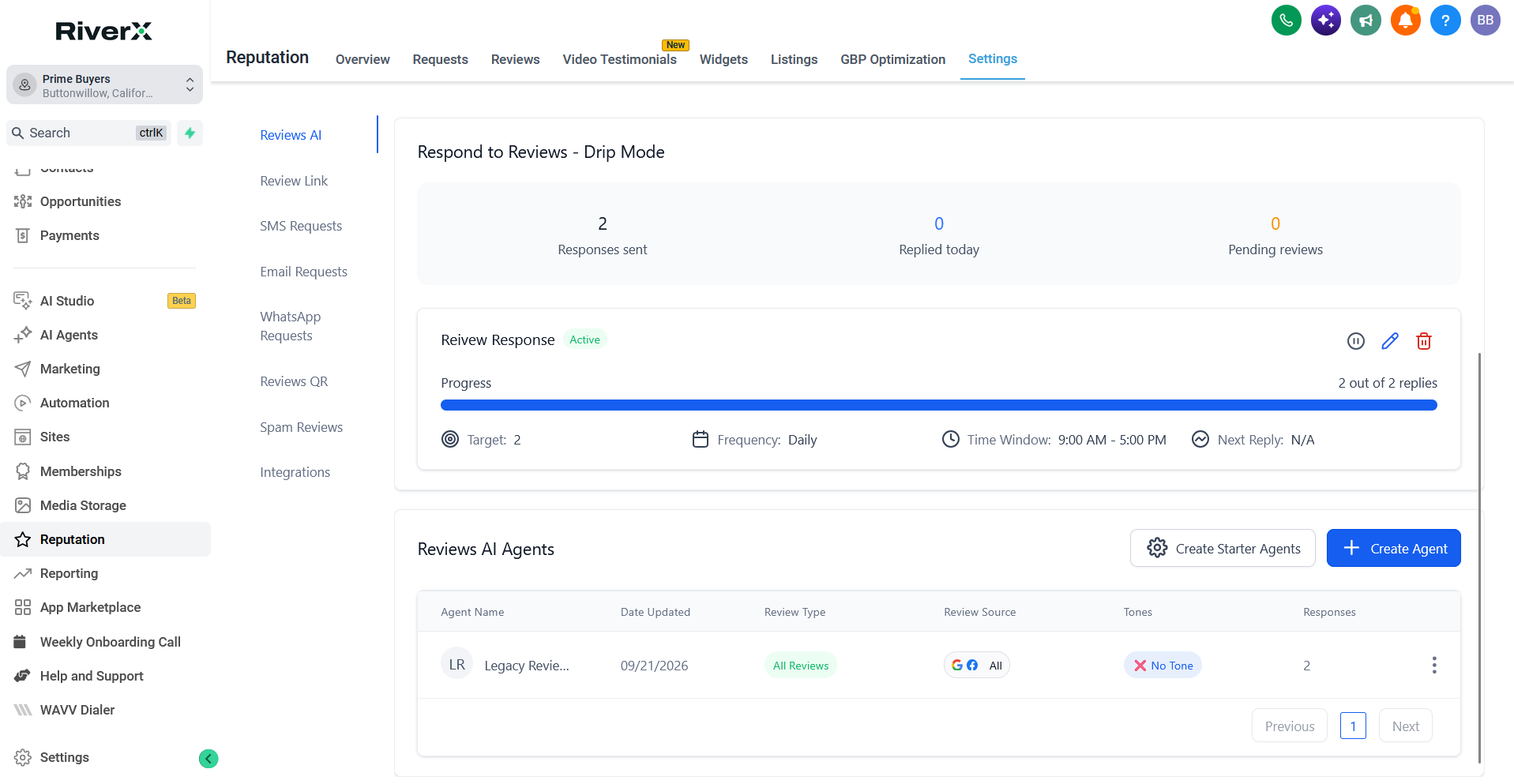
If you have older reviews with no reply, Drip Mode works through them a few at a time on a schedule you set: how many replies, how often, and during what hours. Replies spread out over days look natural instead of all at once. You can pause it anytime.
Will replies sound like a robot?
You control the tone with a template and your own instructions, and you can preview replies before you turn it on. Most owners start with approve first for a week, then switch happy reviews to automatic.
Can it reply to bad reviews?
Yes, but we recommend approve first for 1 to 3 star reviews. A complaint is a public conversation, so read it before anything posts.
Does it work in Spanish?
Yes. Set the language to Dynamic and it replies in the language the review was written in.
Which review sites does it answer?
Google and Facebook.
Does it cost extra?
About $0.014 for each AI reply that gets posted. Drafting suggestions is free. See What usage costs look like.
Our team handles setup and changes for every plan. Call (661) 491-7391, 8 AM to 5 PM Pacific. We usually respond the same day.
Not a RiverX customer yet?